![Krush Internal [Wardogs]](https://www.buyhack.pro/storage/products/rqs0WJeAj3g6GM6C0HPpxyEOtUQS3wQabn2xba1C.webp)
Krush Internal [Wardogs]
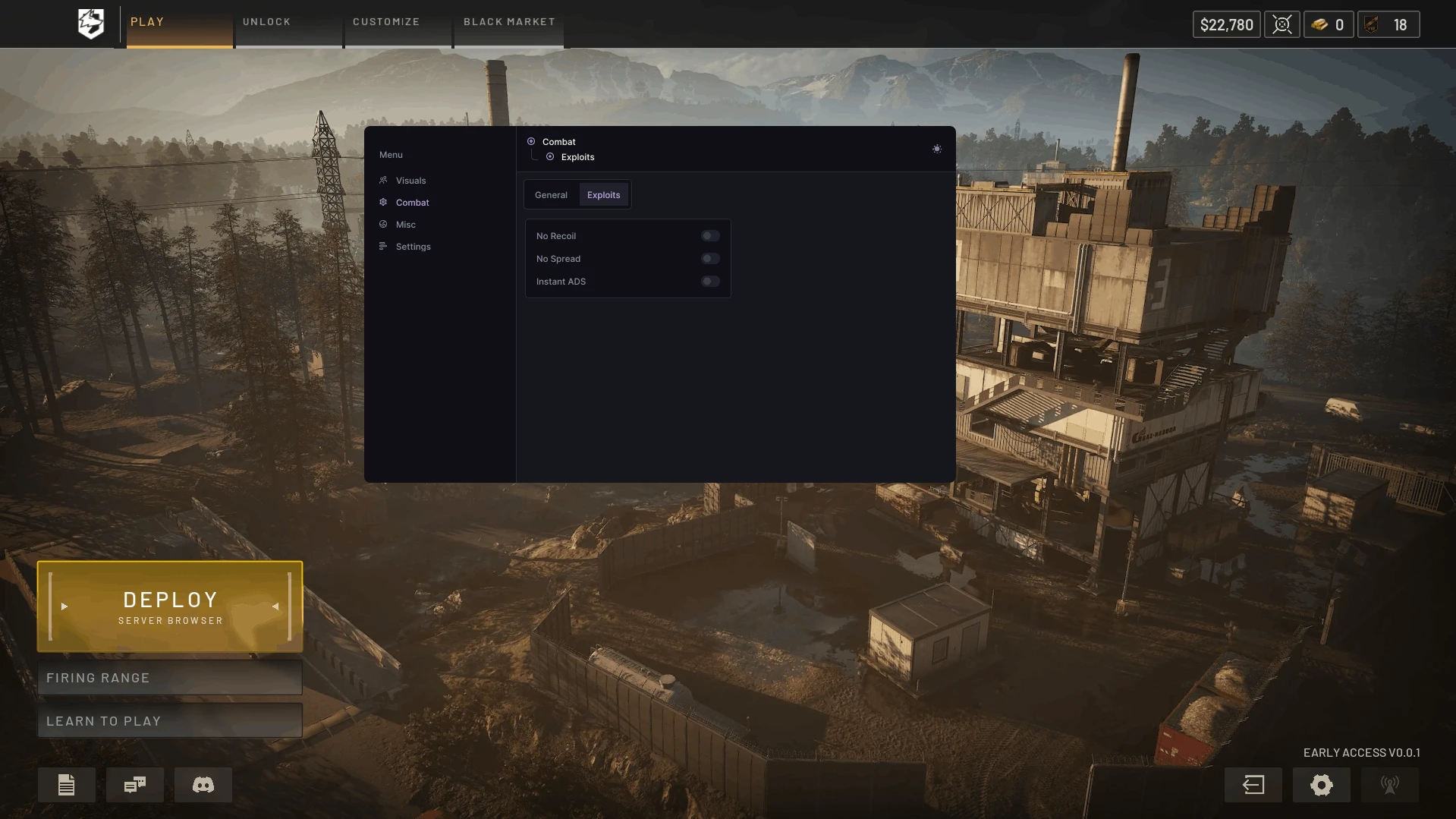
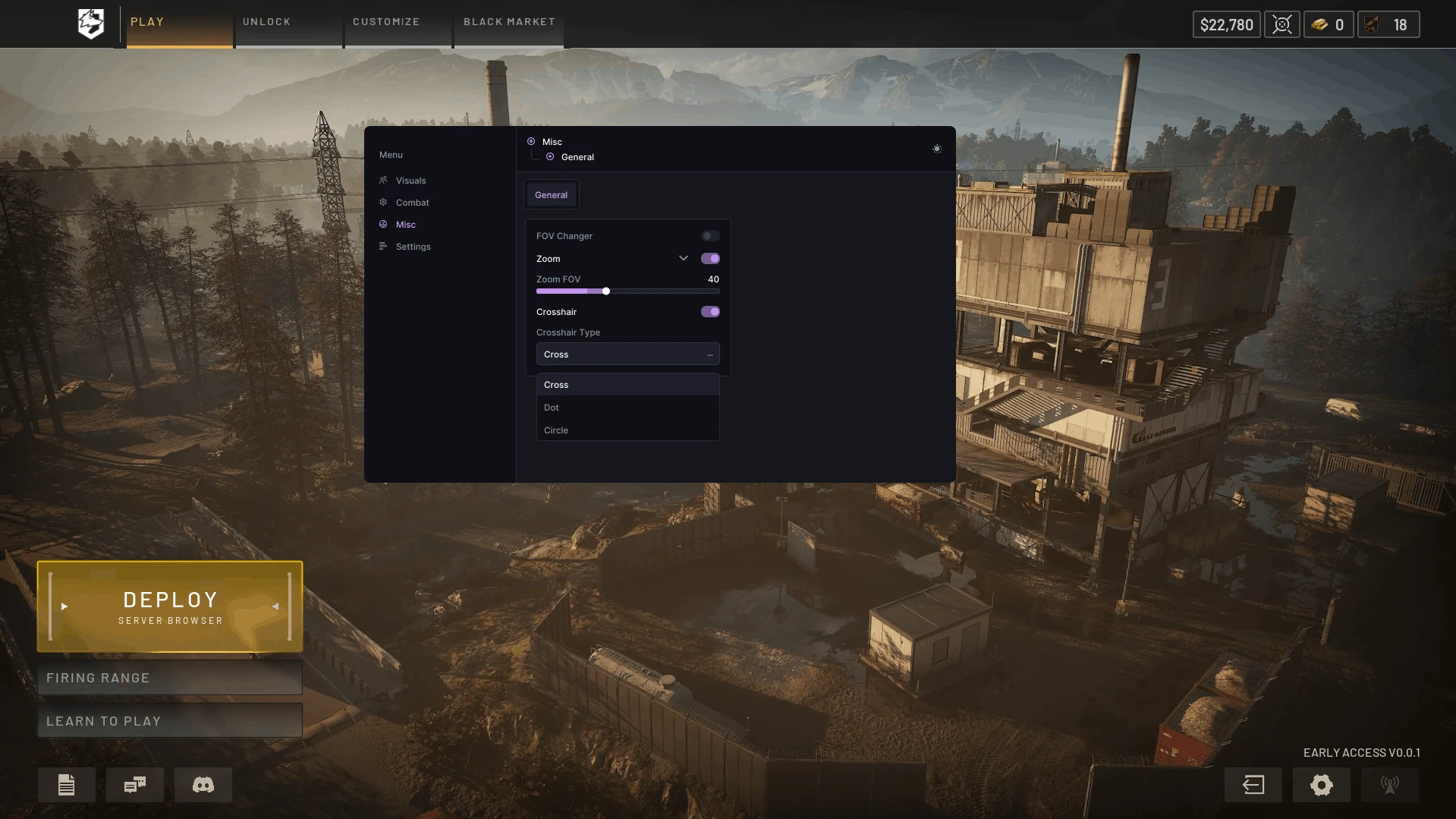
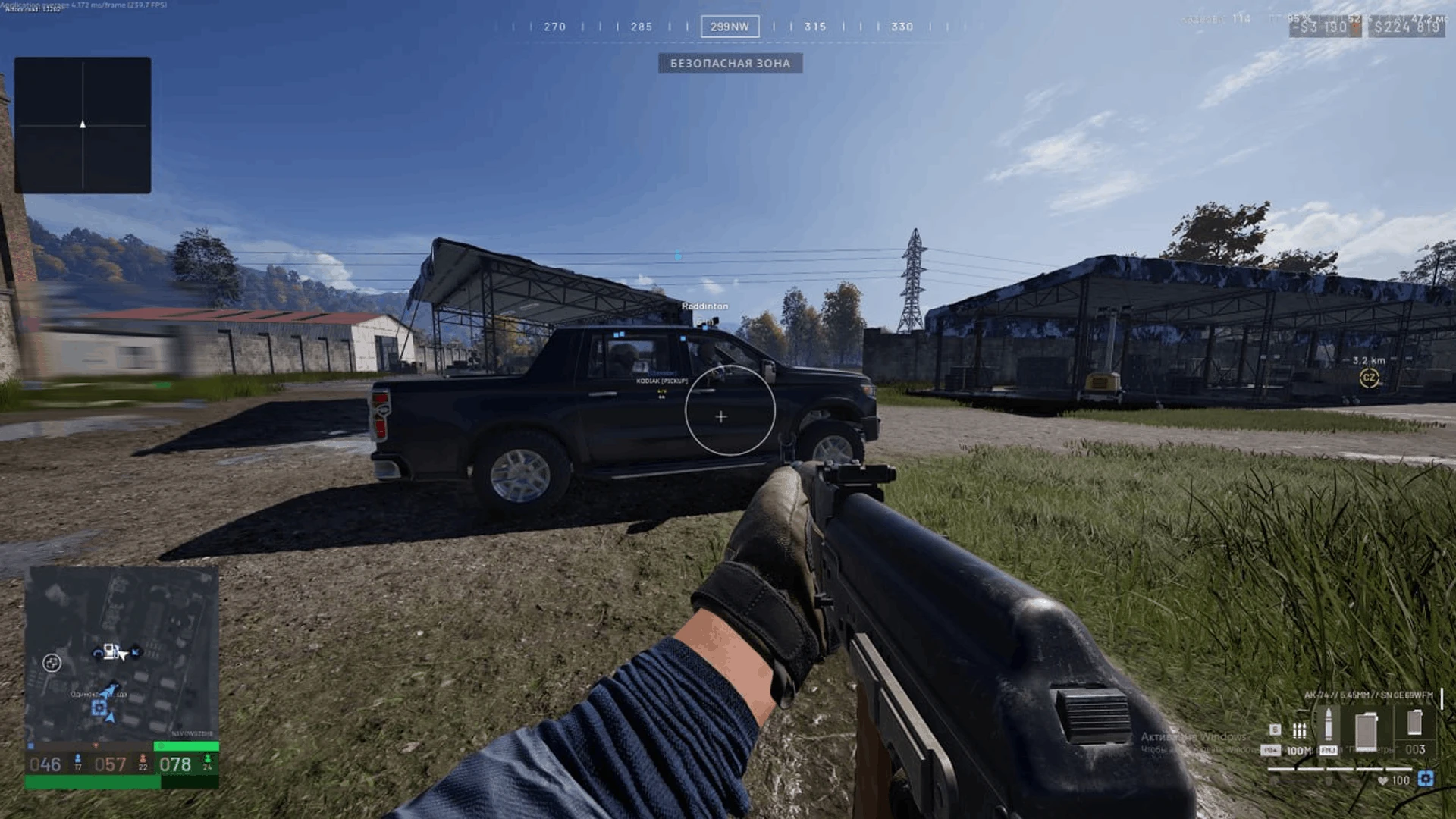
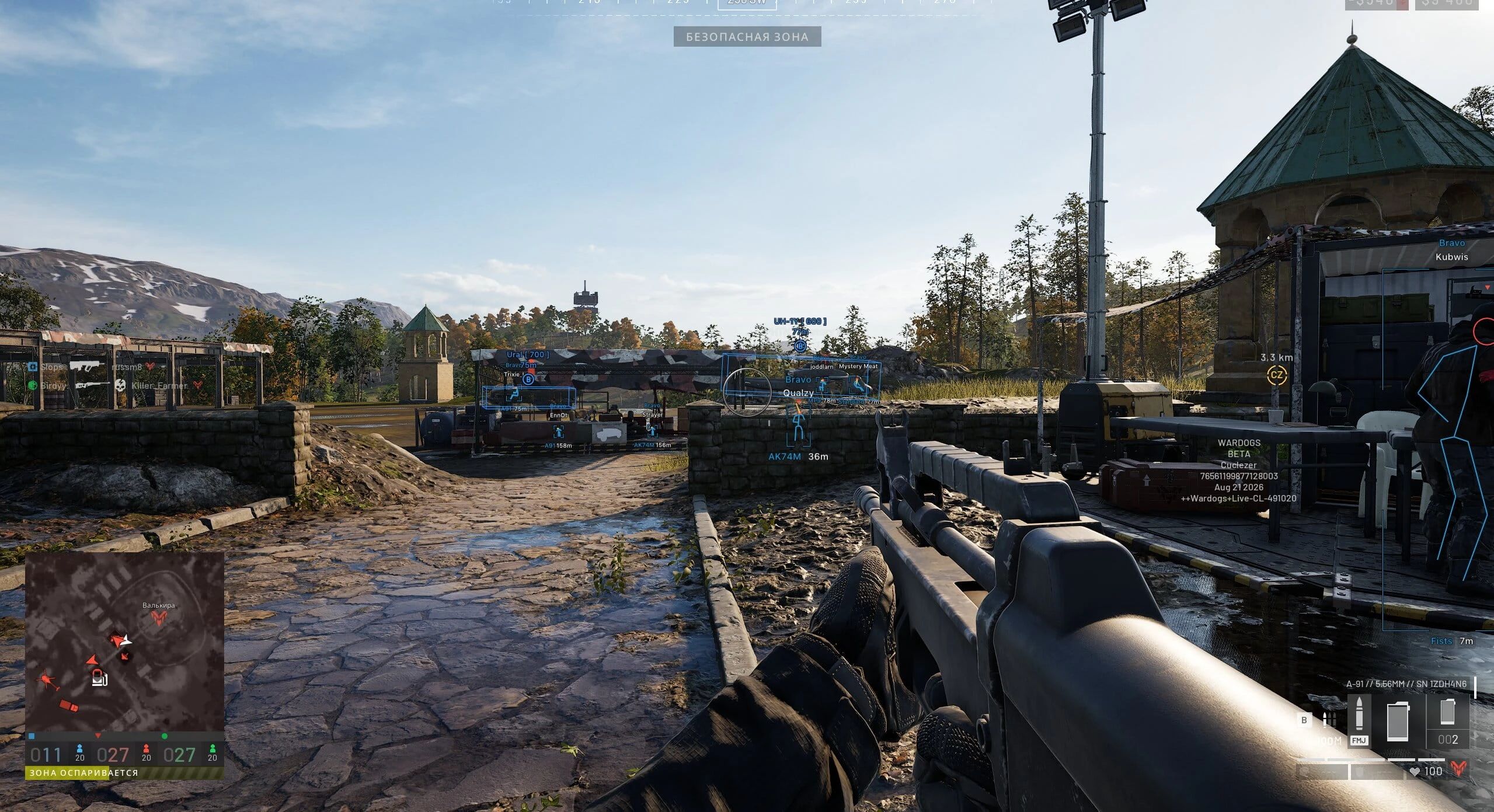
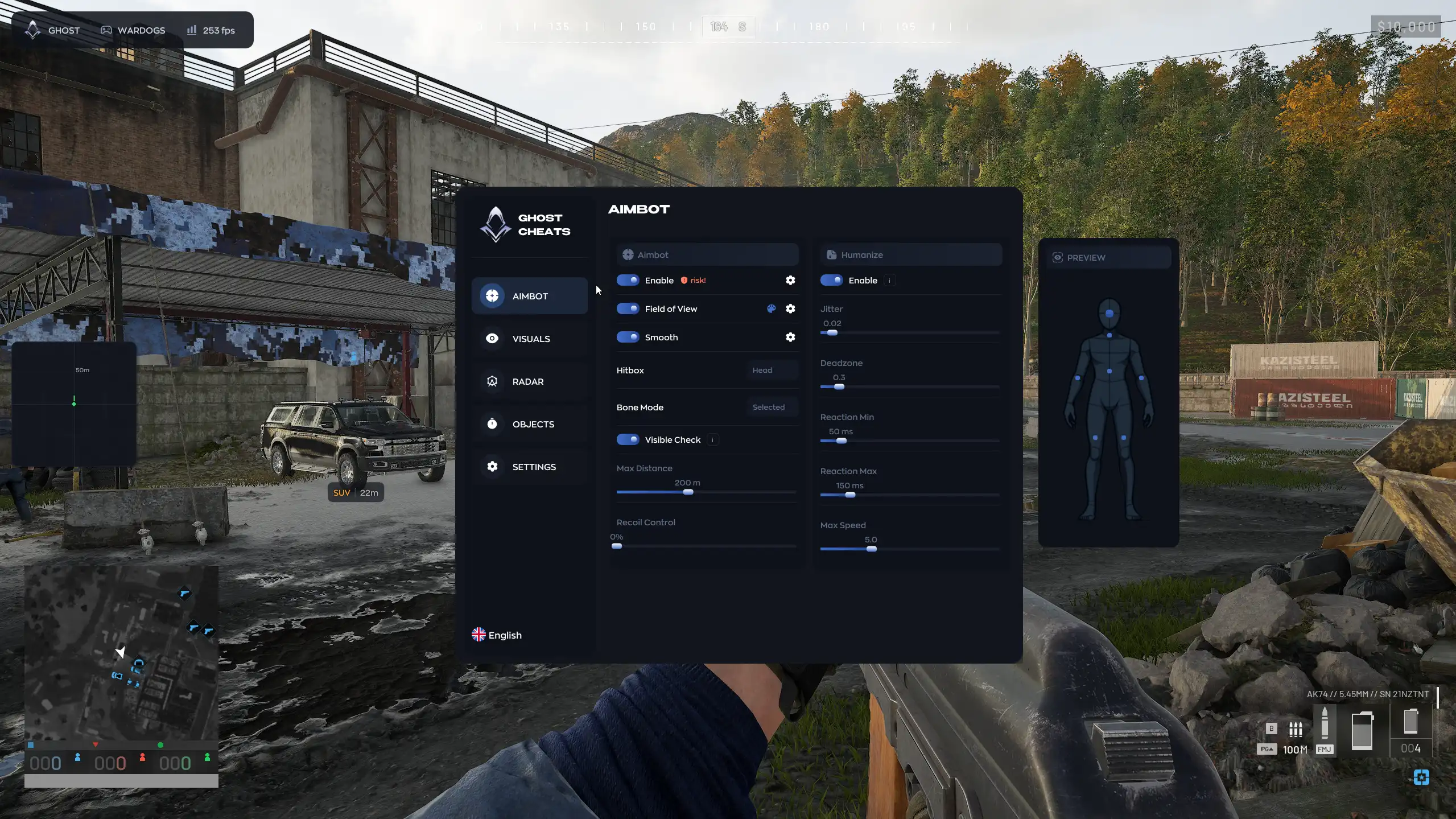
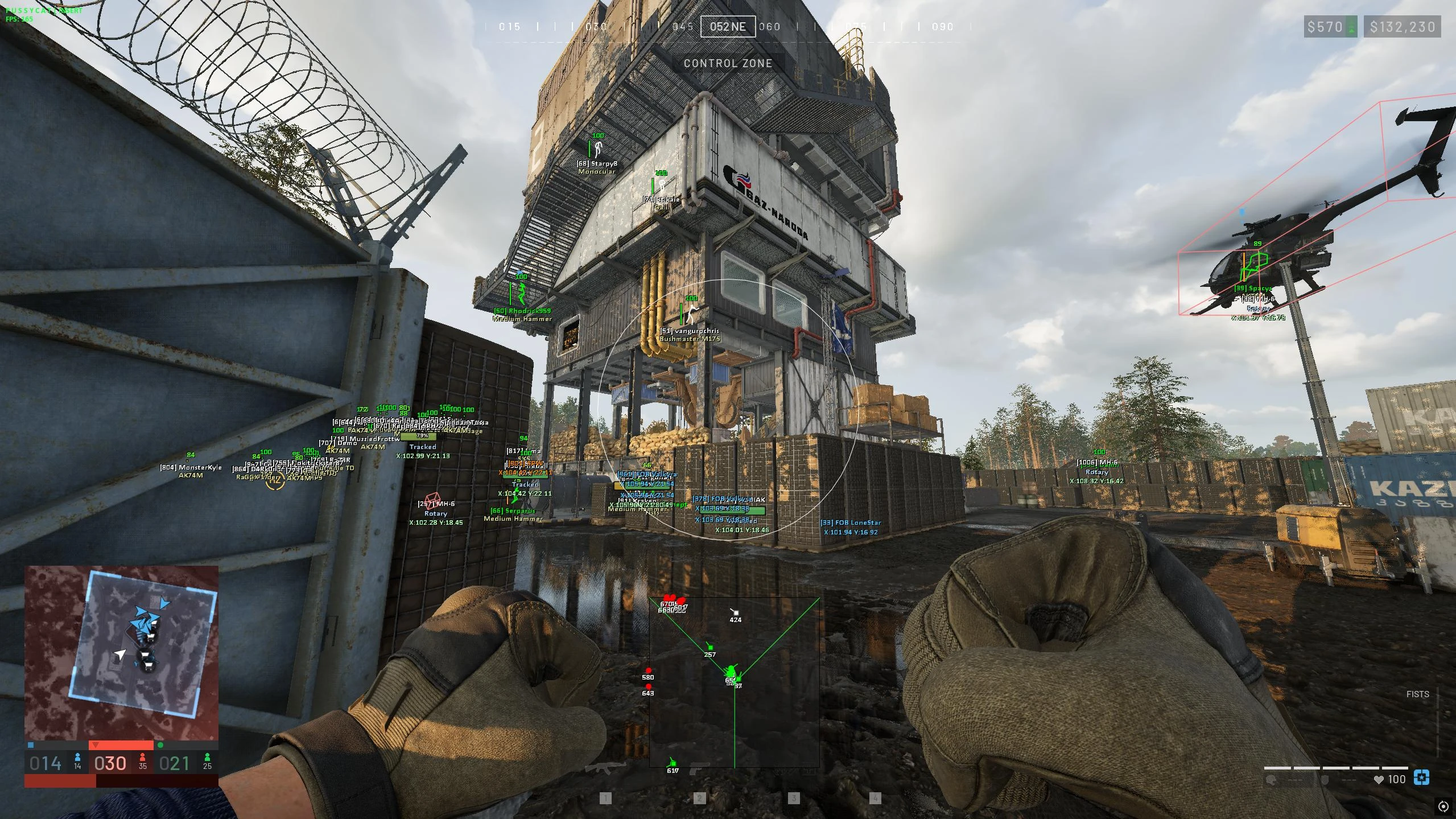
Wardogs fights are usually decided in the half-second before either side even sees the other, so Krush for Wardogs is built around three things: aiming precisely, seeing what the game itself hides, and removing the small mechanical friction - recoil, spread, aim-down-sight delay - that still costs a duel after the target has already been found. Two aiming modes cover both playstyles: Memory Aim for a standard, smoothly-tracking crosshair, and Silent Aim, which locks onto a target internally without visibly moving the crosshair toward it. Both share the same targeting logic - Aim Bone locks onto the head, neck, chest or whichever bone sits closest to the crosshair, Team Check and Visible Check keep the aimbot off allies and off enemies it cannot actually see, and FOV Circle plus FOV Value define and display the targeting radius, with Scaled FOV adjusting it on the fly. Switch Delay, Smoothing, Humanize Strength and Jitter soften how mechanical the aim looks, a Target Marker - either a Snapline drawn to the target or an Arrow pointing at it - shows the current lock, Magic Bullet lets shots penetrate walls, and Prediction leads a moving target by its speed and direction. The ESP side draws players, corpses, vehicles and loot through walls with a configurable box - solid or filled - and a full readout for each: name, distance, weapon, ping, clan tag and faction, plus a health bar with adjustable position and a Head Circle for a faster headshot read, all capped by a maximum draw distance so the overlay does not clutter at long range. Skeleton ESP with adjustable line thickness and a full set of Chams - standard Player Chams, Visible Chams for enemies in the open, Self Body and Self Weapon Chams, wireframe, Rainbow with adjustable speed, and manual brightness - cover "see through walls" and "see clearly mid-fight" as two separate problems, while Off-Screen Arrows point toward enemies outside the current view. Show Downed, Show Body Bags, Show Grenades with a radius indicator, and Show Vehicles with their own boxes round out what the overlay tracks, filtered by the same Team Check and Visible Check as the aimbot. Outside of aim and vision, Krush removes the mechanical cost of a firefight directly: No Recoil and No Spread keep automatic fire on target, Instant ADS cuts the delay before a weapon is ready to aim, and Instant Bullet removes travel time entirely. FOV Changer, FOV Override and FOV Zoom adjust the camera's field of view independently of the aimbot's own FOV settings, and a custom Crosshair stays on screen regardless of the equipped weapon. A few settings sit outside combat entirely - Freecam and its adjustable speed detach the camera from the player, Third Person View swaps the default perspective, World Light Editor and Remove Fog change how visible the map itself is, and a configurable Radar System with direction indicators adds a second information source next to the ESP. No Gun Sway and No Sway While ADS steady the weapon model, No Overweight lifts the carry limit, a Preferences system saves, loads and resets full setting profiles for different scenarios, and Practice Range Support keeps all of it active on the training map. What Krush does not add is an HWID spoofer - the loader itself stays invisible on stream and in screenshots, but a banned hardware ID needs a separate tool. It runs on the Steam build of Wardogs, on Windows 10 and 11, past the game's in-game anti-cheat, in both borderless and windowed mode, and ships as a 1-day, 1-week or 1-month licence. For ESP only at a lower entry price, Unnamed Chams covers faction-colored player chams without the aimbot risk, and for controller players specifically, Unnamed Full adds a controller-aware aimbot and mine ESP that Krush does not have. The rest of the game's loadouts and full duration pricing are on the Wardogs cheats page, and current detection status for every product is tracked on the status page rather than printed here.
Aimbot:
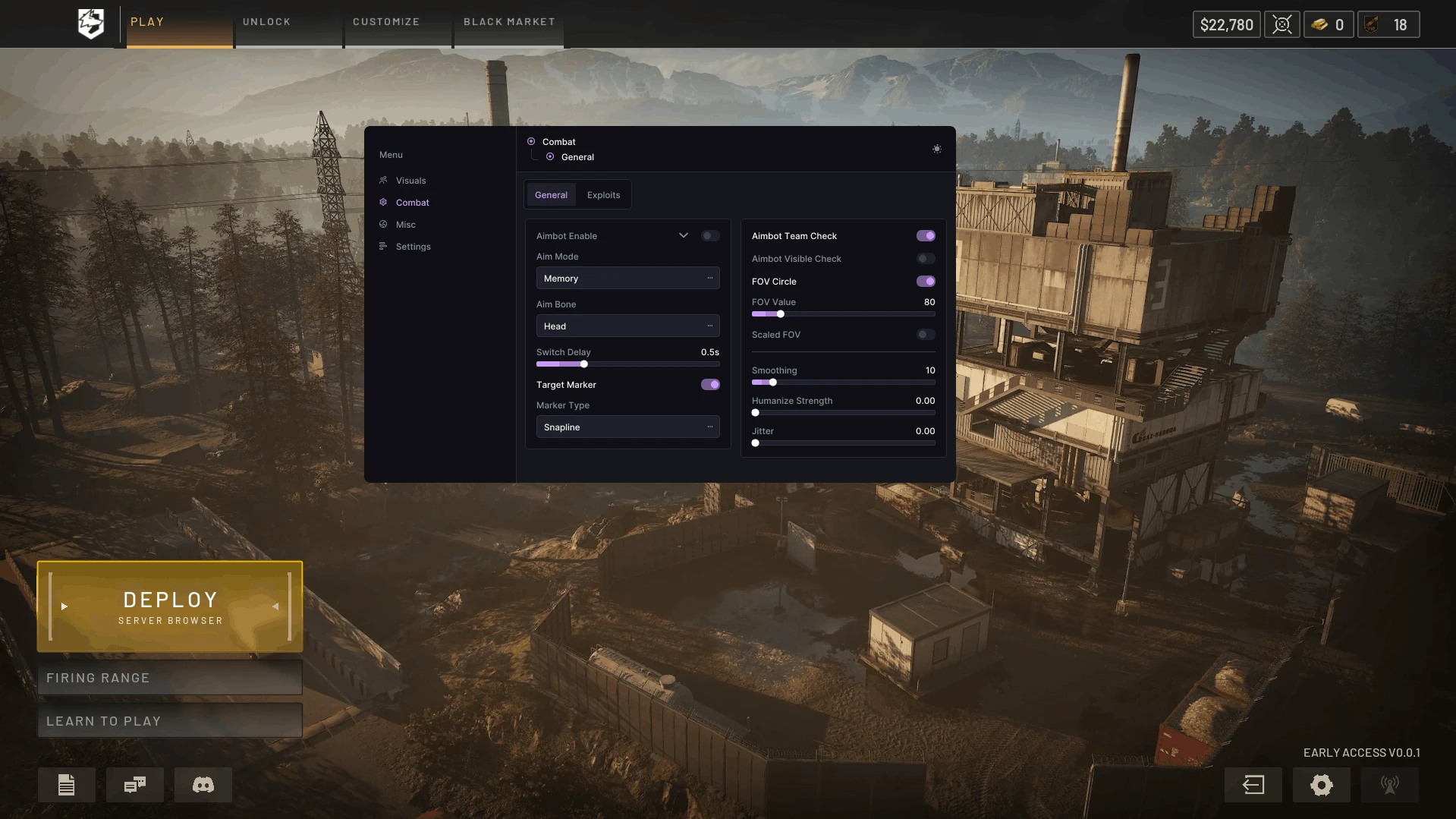
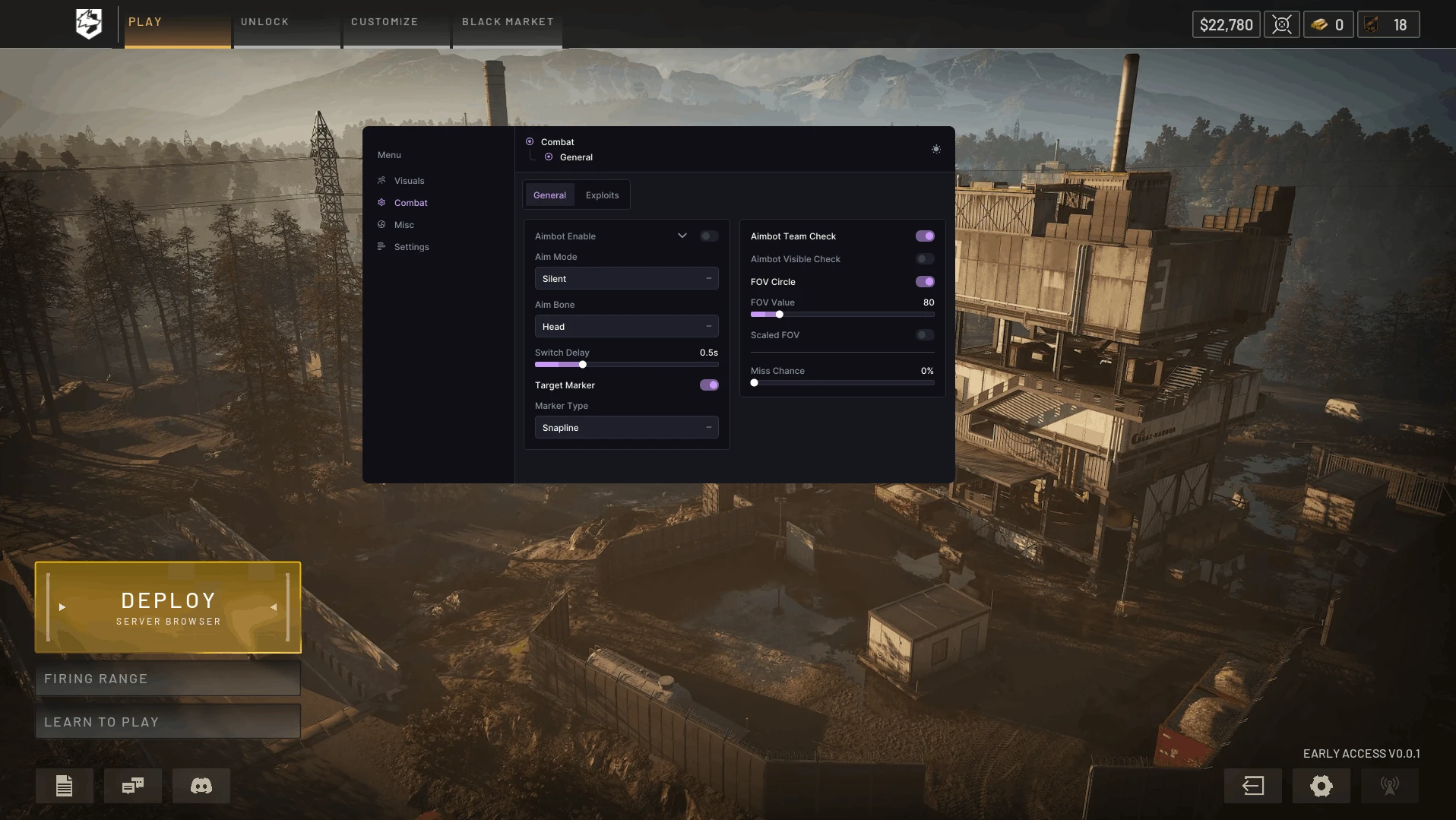
- Aimbot Enable - enables the aimbot for automatic aiming at selected targets
- Aim Key - key to activate the aimbot (hold)
- Aim Mode - allows you to choose the aimbot operating mode
- Memory - standard aiming with smooth crosshair movement
- Silent - hidden aiming without needing to move the crosshair directly onto the target
- Aim Bone - allows you to choose the body part to aim at (head, neck, chest, closest to crosshair)
- Team Check - excludes teammates from the target list
- Visible Check - limits aiming only to visible enemies
- FOV Circle - displays the aimbot's effective area circle
- FOV Value - allows you to adjust the size of the aimbot's effective area
- Scaled FOV - dynamically changes the FOV size depending on conditions
- Switch Delay - sets the delay before the aimbot switches to another target
- Smoothing - adjusts the smoothness of aiming at the target
- Target Marker - enables a visual marker for the selected target
- Marker Type - allows you to choose the target marker type:
- Snapline - line to the target
- Arrow - arrow pointing to the target
- Humanize Strength - adjusts the level of simulating more natural aiming movement
- Jitter - adds slight deviations while aiming for less perfectly smooth crosshair movement
- Magic Bullet – powerful bullets that penetrate walls
- Prediction – accounts for player speed and direction (leading the target)
Visuals (Wallhack & ESP):
- Enable - enable the display of players, teammates, corpses, vehicles, etc.
- Boxes - displays a box around players
- Box Type - allows you to choose the box display style
- Filled Box - adds a semi-transparent fill inside the player's box
- Health Bar - displays the player's health bar
- Health Bar Position - allows you to choose the health bar position
- Team Check - enable/disable teammate display
- Visible Check - highlights players with a different color depending on their current visibility
- Head Circle - displays a circle around the player's head area
- Name ESP - displays the player's nickname
- Distance ESP - shows the distance to the player
- Clan Tag ESP - displays the player's clan tag
- Weapon ESP - shows the weapon the player is using or holding
- Ping ESP - displays the player's ping value
- Faction ESP - shows the player's faction affiliation
- Max Distance - adjust the maximum display distance
- Show Downed - displays downed players
- Skeletons - displays player skeleton ESP
- Skeleton Thickness - adjusts the thickness of skeleton lines
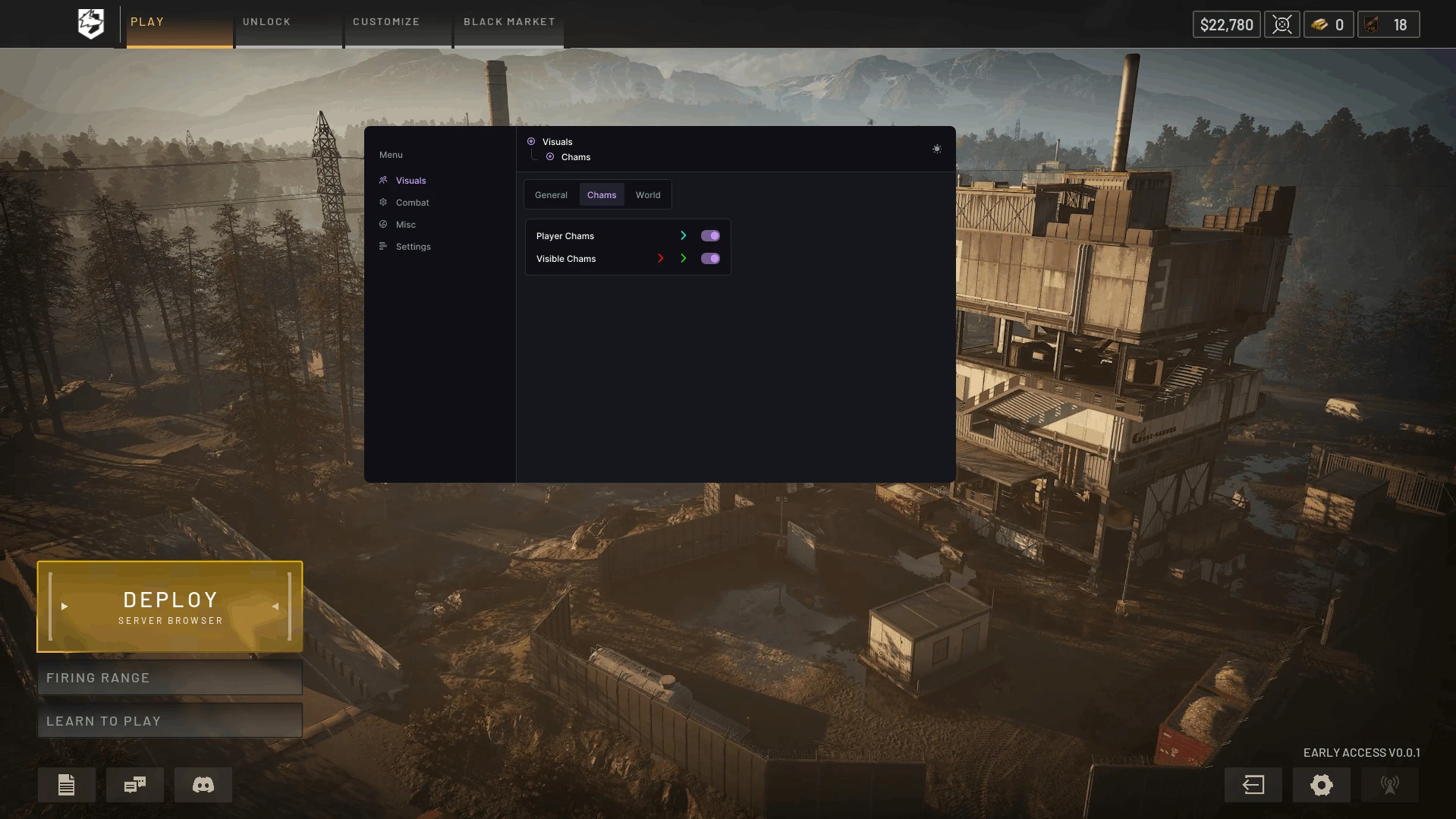
- Player Chams - fills player models with visibility through walls
- Visible Chams - visible players are colored differently
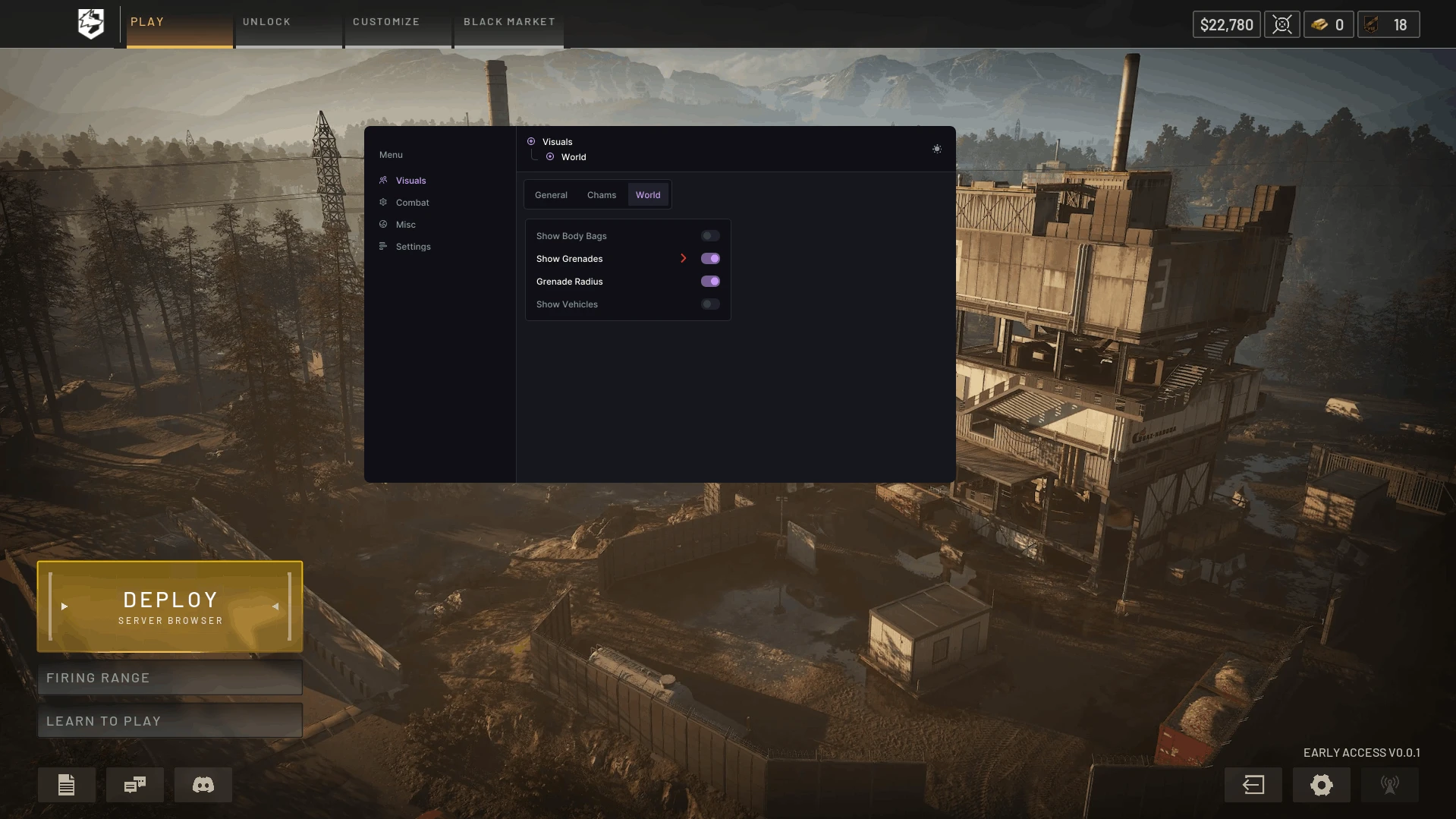
- Show Body Bags - displays loot bags and item containers
- Show Grenades - displays grenades
- Grenade Radius - displays the grenade effect radius
- Show Vehicles - displays vehicles
- Vehicle Boxes - adds boxes around vehicles
- Self Body Chams – highlights your own body with chams
- Self Weapon Chams – enables chams on your weapon
- Off-Screen Arrows – shows the direction to enemies located outside the screen in the form of arrows
- Wireframe Chams – displays Chams in wireframe model mode
- Rainbow Chams – adds a smooth color change for Chams
- Brighter/Darker Chams – allows you to adjust the brightness of Chams
- Hide Weapon Chams When ADS – hides weapon Chams while aiming
- Rainbow Chams Speed – adjusts the speed of the Rainbow Chams color change
Other KRUSH WARDOGS Features:
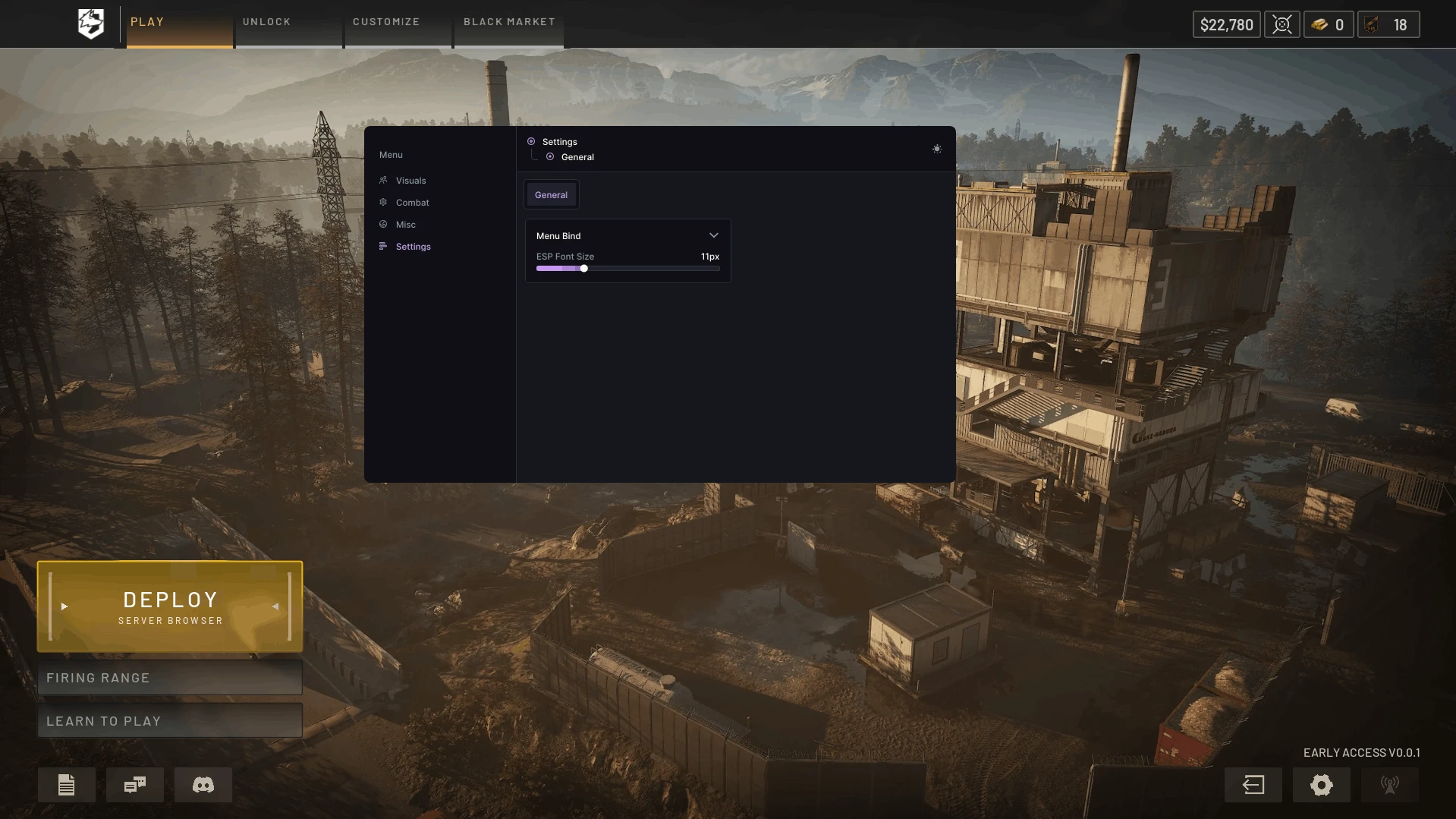
- Menu Key - allows you to assign a key for opening and controlling the mod menu
- ESP Font Size - adjusts the font size for ESP elements
- Crosshair - enables an additional crosshair in the center of the screen
- FOV Changer - allows you to change the camera field of view
- FOV Override - sets a custom field of view value
- FOV Zoom - allows you to adjust the field of view when using zoom
- No Recoil - removes weapon recoil while shooting
- No Spread - removes bullet spread, increasing shooting accuracy
- Instant ADS - speeds up switching to aiming mode without the standard delay
- Instant Bullet - instantly delivers the fired bullet to the target
- Preferences - system of profiles with your settings for different game scenarios (save, load, delete, reset)
- Remove Fog – disables fog in the game world
- World Light Editor – allows you to adjust the color, intensity, and direction of the world’s lighting
- Radar System – adds a customizable radar with parameters for size, scale, and transparency
- Radar Show Direction – displays the players’ gaze direction on the radar
- No Gun Sway – disables weapon sway
- No Sway While ADS – disables weapon sway while aiming
- No Overweight – disables the weight limit
- Freecam – allows you to freely move the game camera
- Freecam Speed – adjusts the camera movement speed
- Third Person View – switches the camera to third‑person view
- Practice Range Support – adds support for the cheat for the training mode
- Supported game version: Steam
- Supported game mode: Borderless, windowed
- Supported Windows: 10&11 x64, versions (2004 / 20H2 / 21H1 / 21H2 / 22H2 / 23H2 / 24H2 / 25H2) you can check your build by following the instructions HERE.
- Supported anti-cheat: In-game anti-cheat
- Supported processors: Intel and AMD
- Supported cpu: Nvidia and AMD
- Support invisibility on video or screenshots: Yes
- Built-in HWID Spoofer: No
YOU MIGHT ALSO LIKE
Reviews for Krush Internal [Wardogs]
No reviews yet. Be the first!