![BC [Wardogs]](https://www.buyhack.pro/storage/products/LHP1GTiQN6PAUVtG7SpI8vSQGTIjabZbNlIoBD65.webp)
BC [Wardogs]
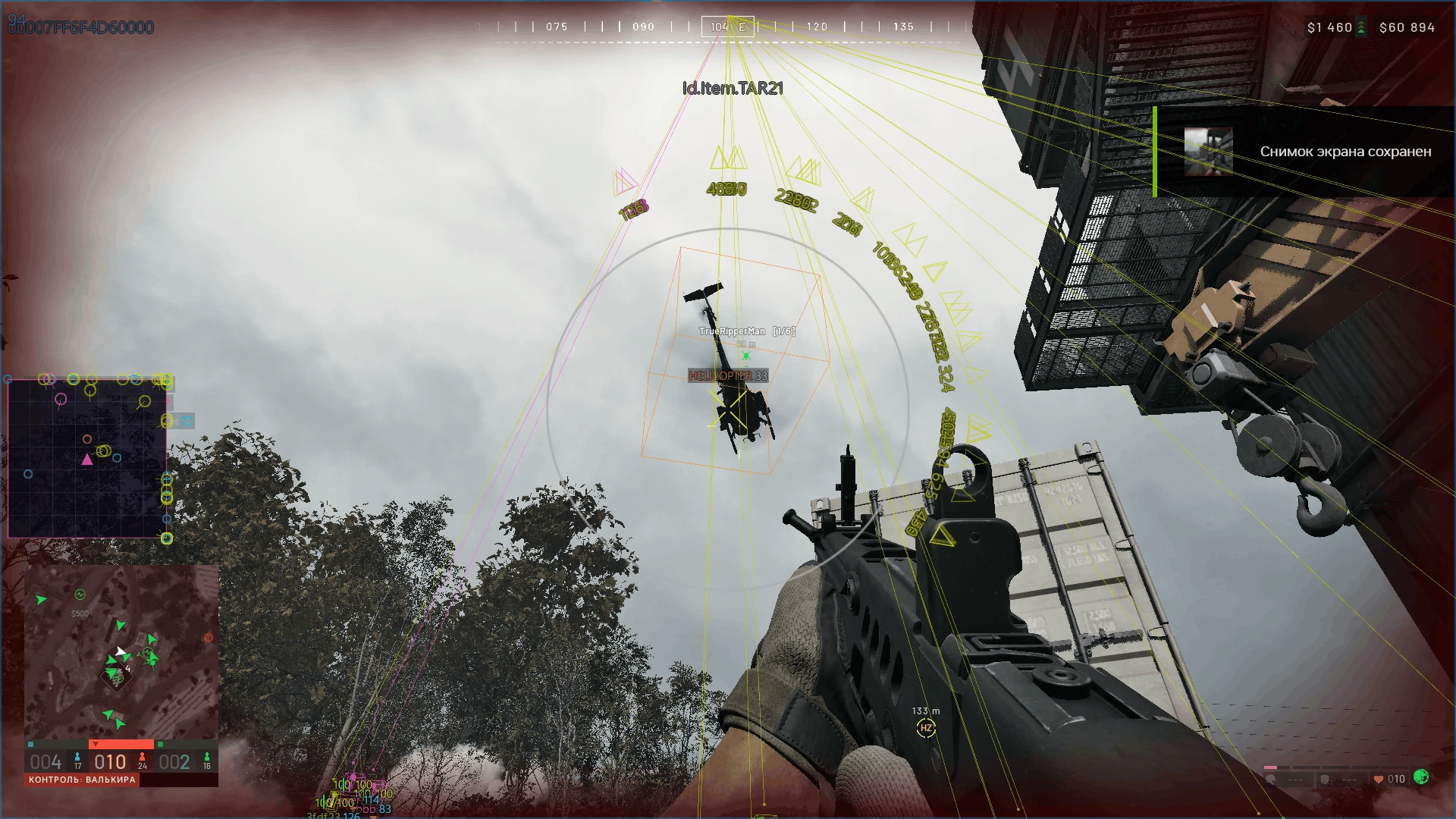
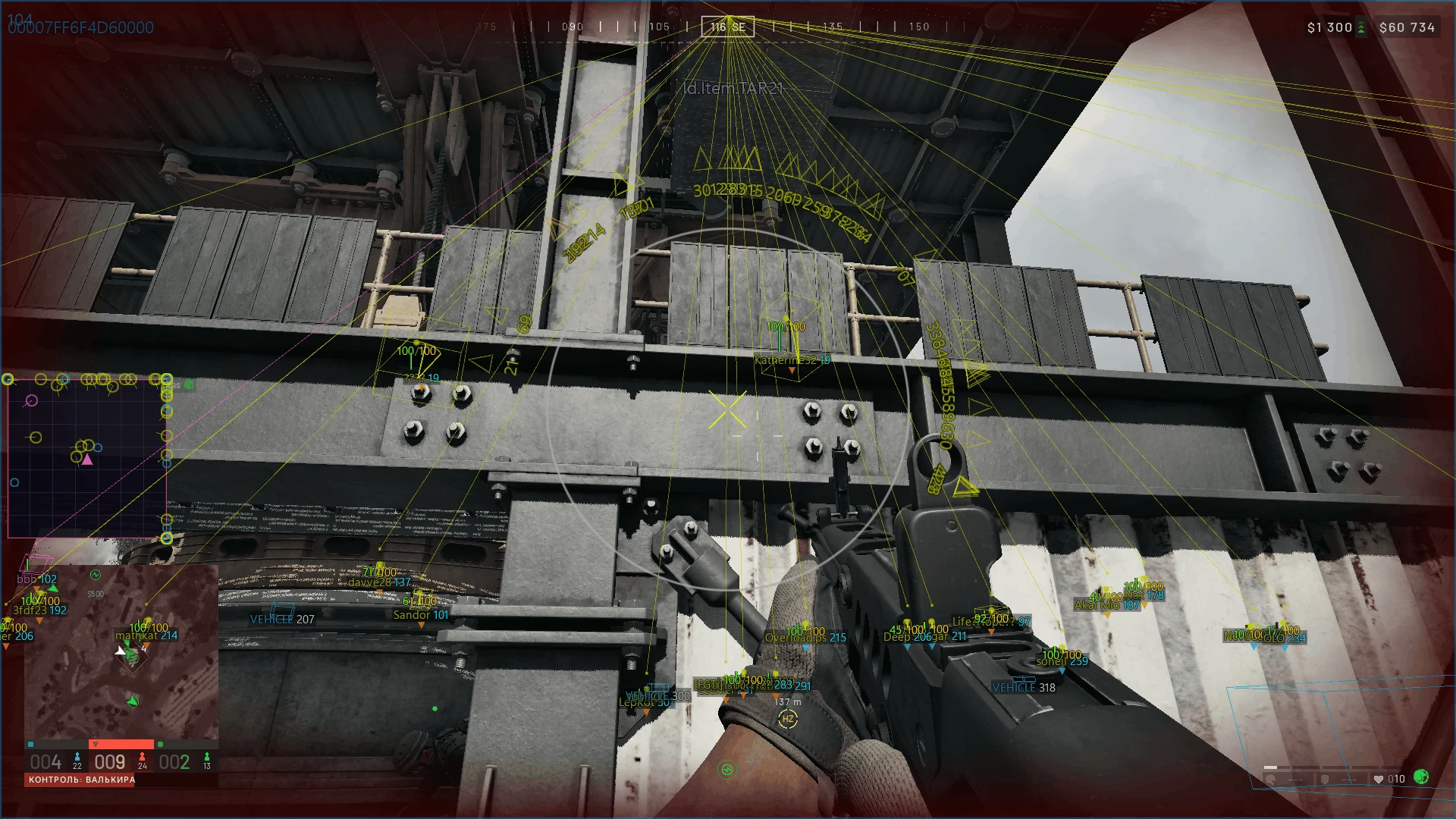
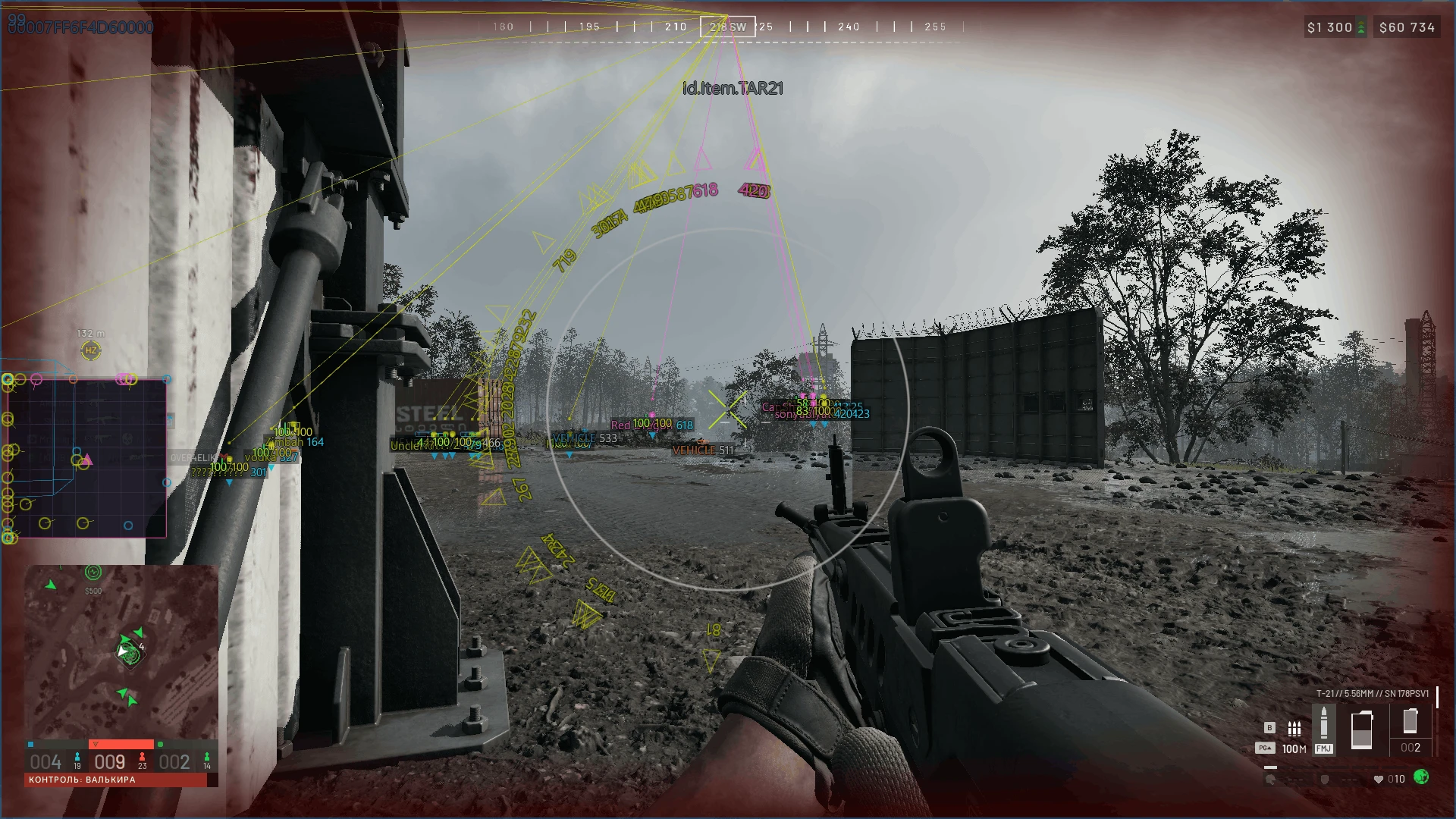
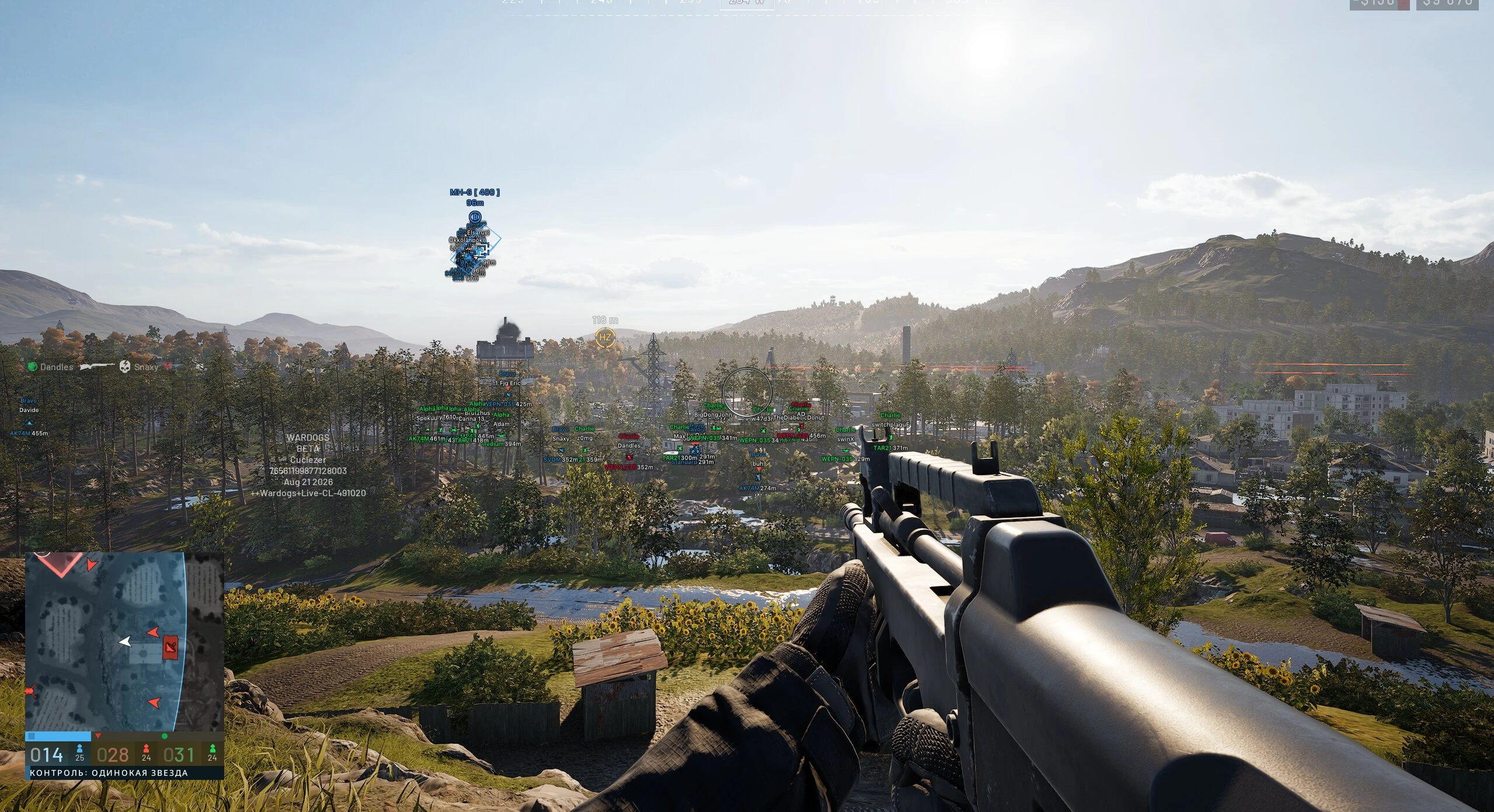
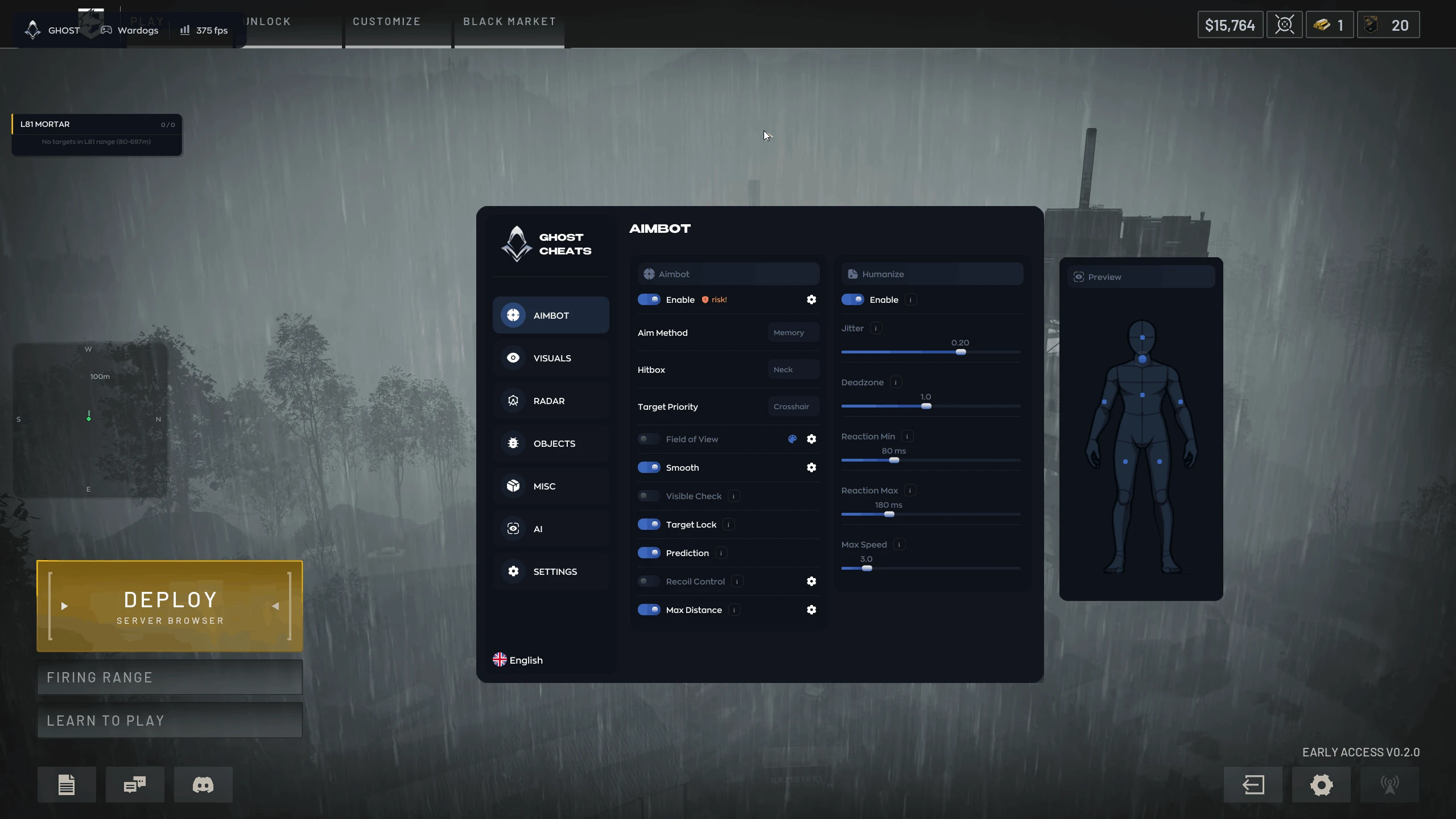
Half of surviving a Wardogs match is knowing where the enemy and their vehicles are before you round a corner, and the other half is not losing the fight to your own recoil. BC for Wardogs covers both: a bone-select aimbot, ESP for players and vehicles, a radar you can reposition in the middle of a fight, and recoil and sway removal underneath.
The aimbot runs from its own key or straight off the left mouse button, whichever suits your setup, and its aiming speed is adjustable, so the lock never snaps harder than you want. The FOV radius can be shown on screen and resized, and bone selection decides which part of the body it locks onto.
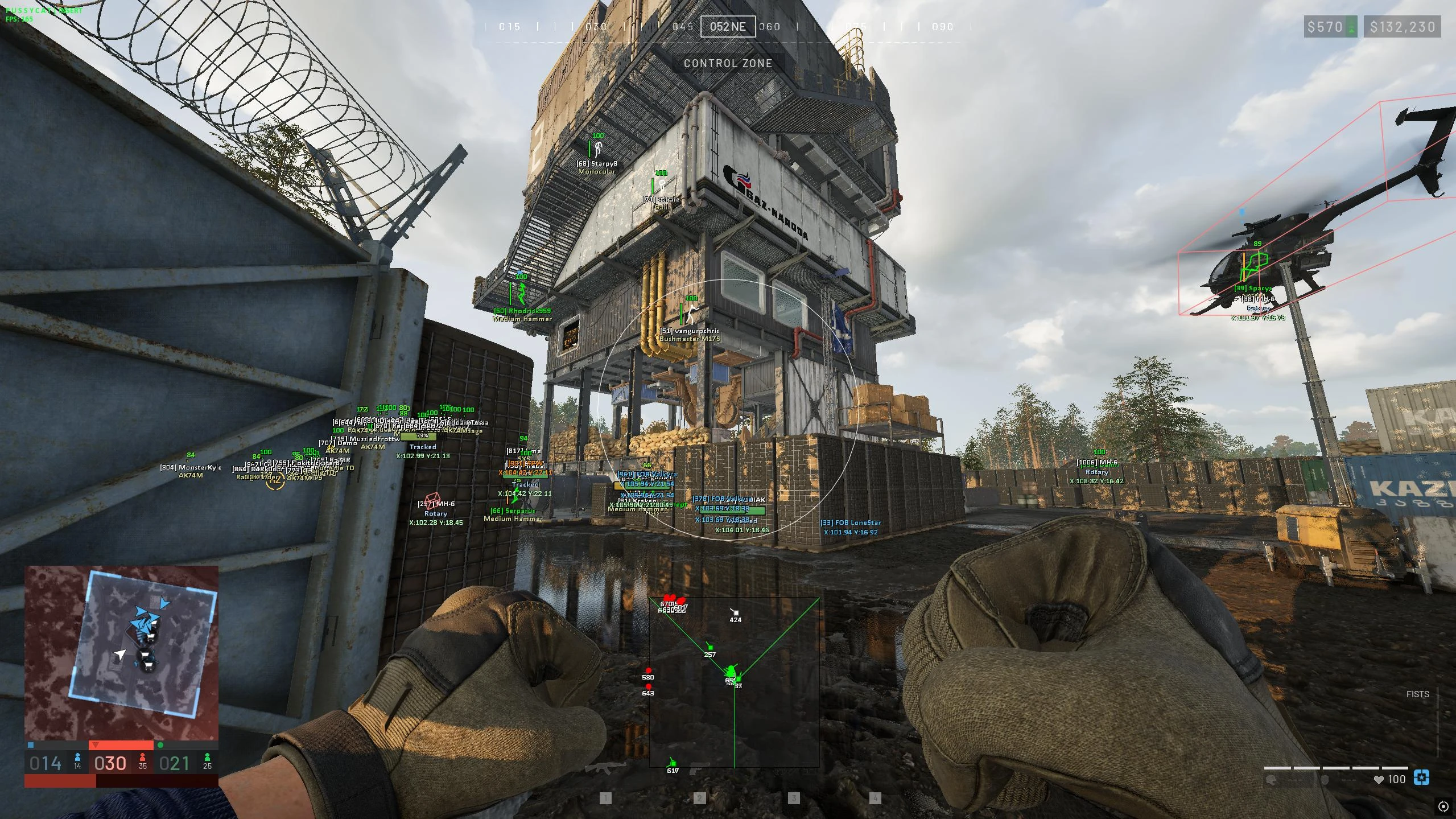
Player ESP draws a 2D box and the skeleton over every target, together with the name, the weapon in their hands, a line to the player and their health, which can be shown in two different styles. Visible and hidden players get separate colors, so a glance tells you whether you can actually see a target or are tracking it through a wall, and the text size is adjustable. Vehicles get their name, a 2D box and the same split between visible and hidden colors, and a dedicated key switches vehicle ESP on and off on its own.
The radar is where BC stands out. It switches between a 2D and a circular layout, shows players and vehicles as separate toggles, and lets you set its range, its scale and the size of its icons. Hold CTRL inside the radar to drag it anywhere on screen and ALT to resize it, live and mid-match, without opening the menu.
Under the visuals BC removes weapon sway and recoil and raises the brightness for dark corners of the map. It also draws its own crosshair with an adjustable color, type and size, and the whole menu opens on F6 or Home.
BC has no loot ESP and no ESP for objectives or explosives. If you need those, Byster covers loot, objectives and threats, and Fecurity marks mines, explosives and FOBs. BC works with the Steam version of Wardogs in borderless or windowed mode, supports the game's built-in anti-cheat and runs on Windows 10 and 11 x64 with Intel and AMD processors. It is sold as a 1-week plan, the key arrives by email right after payment, and the current status is on the status page. Compare it with every other Wardogs cheat in one place.
AIMBOT
- Aim / Включение аимбота
- Speed / Изменить скорость наводки аимбота
- Key / Клавиша активации аимбота
- Fov / Отображение радиуса аимбота
- Fov Size / Изменить радиус работы аимбота
- Bone / Выбор части тела для аимбота
- LBM / Активация функции AimBot на ЛКМ
PLAYERS
- Name / Отображение имени
- Weapon / Отображение оружия в руках
- Vis / Выбор цвета для видимых игроков
- Box / Отображение 2D бокса
- Bone / Отображение костей модели
- NoVis / Выбор цвета для невидимых игроков
- Health / Отображение HP
- Line / Отображение линий до игрока
- TextSize / Размер текста
- Health#2 / Отображение HP
VEHICLES
- Name / Отображение имени
- Box / Отображение 2D бокса
- Vis / Выбор цвета для видимых мобов
- NoVis / Выбор цвета для невидимых мобов
- Key / Клавиша для отключения/включения
RADAR
- Draw Radar / Включение функции радар
- Type 2D/Circle / Тип радара
- Radar Distance / Дистанция отображения на радаре
- Radar Scale / Масштаб радара
- Point Size / Размер иконок радара
- Players / Отображение игроков
- Vehicle / Отображение техники
- CTRL / Удерживайте для перемещения радара, срабатывает только внутри радара
- ALT / Удерживайте для изменения размера радара, срабатывает только внутри радара
MEMORY
- Sway / Отключение раскачивания оружия
- Recoil / Отключение отдачи оружия
- Brightness / Осветление
- CROSHAIR
- Crosshair / Включить функцию прицела
- Color / Цвет
- Type / Тип прицела
- Size / Размер прицела
MISC
- Menu on the key "F6" or "Home" / Меню вызывается на клавишу "F6" или "Home"
- Supported game version: Steam
- Supported game mode: Borderles, windowed
- Supported Windows: 10&11 x64, versions (2004 / 20H2 / 21H1 / 21H2 / 22H2 / 23H2 / 24H2 / 25H2)
- Supported anti-cheat: In-game anti-cheat
- Supported processors: Intel and AMD
- Support invisibility on video or screenshots: Yes
- Built-in HWID Spoofer: No
YOU MIGHT ALSO LIKE
Reviews for BC [Wardogs]
No reviews yet. Be the first!