![Mason Full [RUST]](https://www.buyhack.pro/storage/products/mjJfNApGVFa5UC7cBWDWJmVOM1ljbnxS69vdwx2g.webp)
Mason Full [RUST]
UPDATING
This product is currently being updated and is temporarily unavailable for purchase. Please check back shortly.
AIMBOT
-
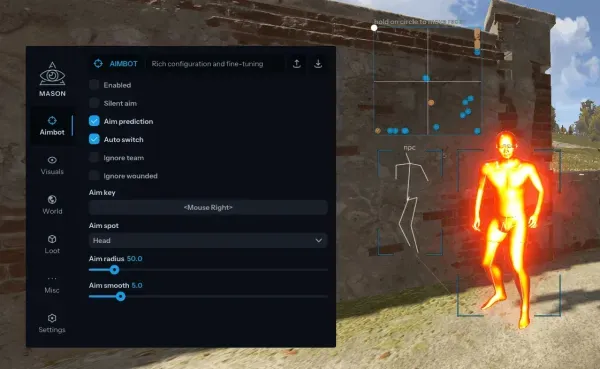
Tab enabled / Enable aimbot
-
Aim prediction / Enable aim prediction
-
Auto switch / Enable automatic switch to the next target within aimbot radius
-
Aim key / Set the key to activate the aimbot (you need to press and hold this key)
-
Aim spot / Set the body part to aim at
-
Aim radius / Set the working radius of the aimbot
-
Ignore team / Aimbot will ignore teammates
-
Ignore wounded / Aimbot will ignore wounded players
-
Aim smooth (LOW SMOOTH IS A BAN RISK) / Set aim smoothness (lower values increase ban risk)
VISUALISATION
-
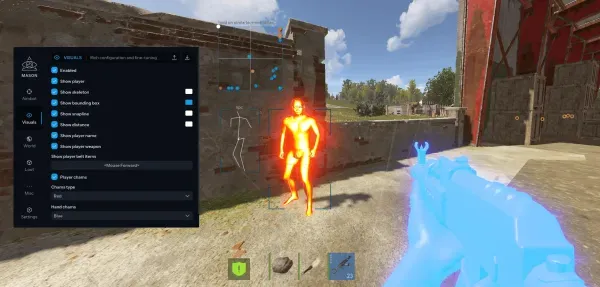
Enabled / Enable
-
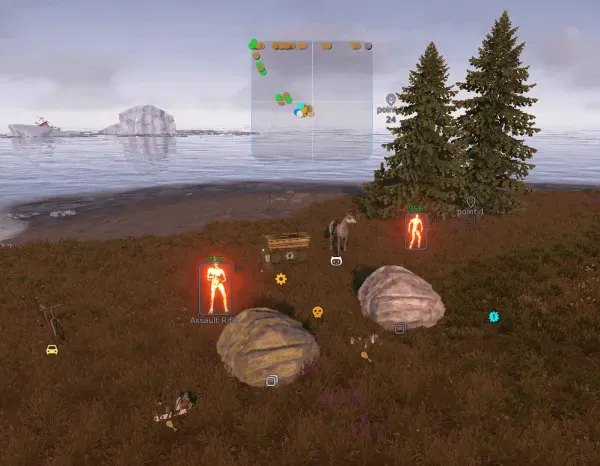
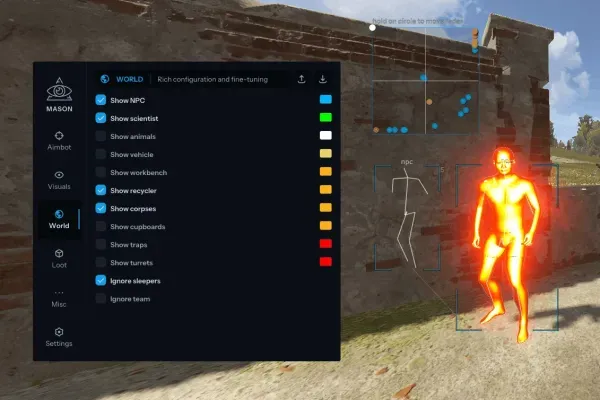
ESP Show NPC / Show NPCs
-
Show scientist / Show scientists
-
Show animal / Show animals (wolves, boars, chickens, etc.)
-
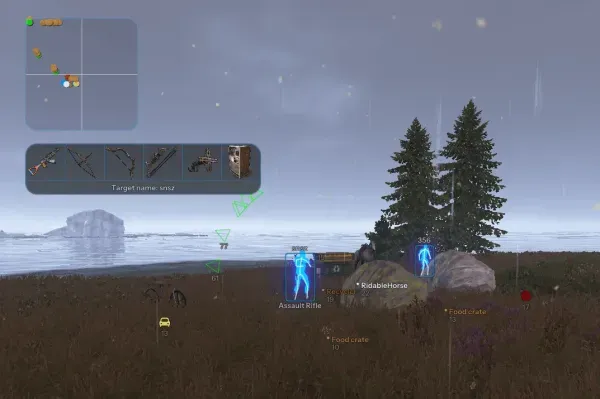
Show player / Show players
-
Show player name / Show player name
-
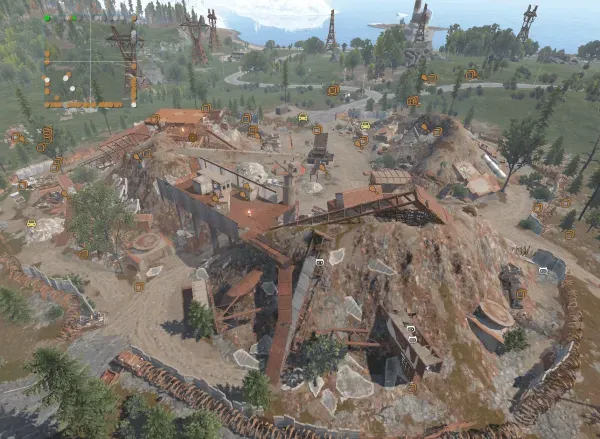
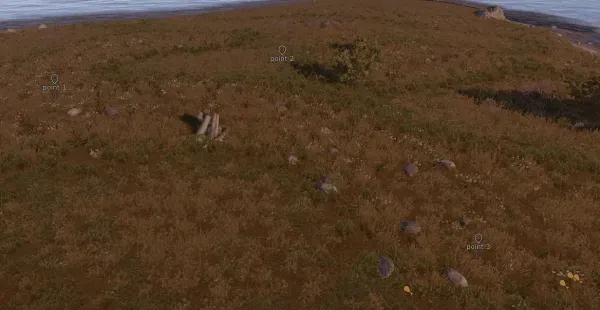
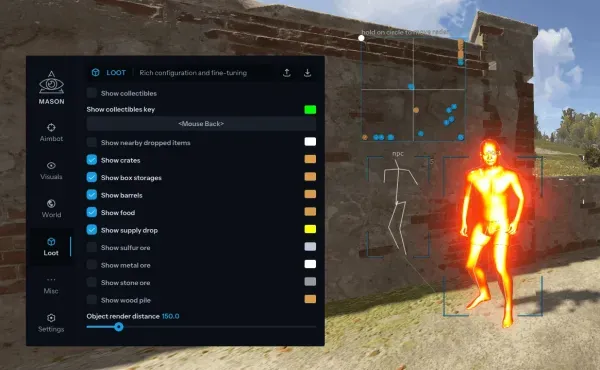
Show nearby collectible / Show nearby collectible items (ore, hemp, mushrooms, wood, etc.)
-
Show bounding box / Show bounding box on players
-
Show snapline / Show line to player
-
Show distance / Show distance to player
-
Show vehicle / Show vehicles and their names
-
Show recycler / Show recyclers
-
Show helicopter / Show helicopters
-
Show gun trap / Show gun traps
-
Show turrets / Show turrets
-
Show sulfur ore / Show sulfur ore
-
Show stone ore / Show stone ore
-
Show metal ore / Show metal ore
-
Show food / Show food crates
-
Show corpses / Show player corpses, also shows sleeping bag after corpse disappears
-
Show crates / Show important crates (military, elite, etc.)
-
Show supply drop / Show airdrop
-
Show cupboards / Show tool cupboards
-
Show nearby dropped items / Show nearby dropped items when "show nearby collectible" is active
-
Ignore sleepers / Ignore sleeping players
-
Ignore nearest to crosshair / Ignore the nearest player to crosshair (so friends don’t show on ESP)
-
Clear ignore list / Clear ignored players list
-
Player distance limit / Maximum distance to display players
-
Object distance limit / Maximum distance to display other objects
-
Ignore team / Allows hiding teammates on ESP
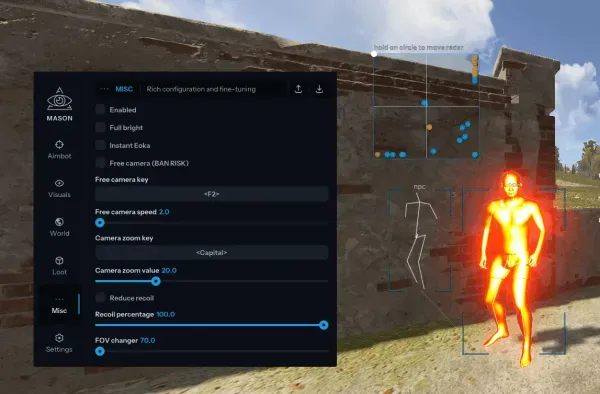
MISC
-
Tab enabled / Enable this section
-
Full bright / Bright night mode
CONFIGURATION
-
Save CPU / Save CPU resources
-
Menu key / Key to open the menu
-
Battle mode key / Key to enable "show players only" mode
-
Panic Key / Emergency key to instantly disable the cheat
-
Load config from clipboard / Load configuration from clipboard
-
Save config from clipboard / Save configuration to clipboard
GRAPHICAL USER INTERFACE
-
Back drop / Show snowflakes
-
Enable radar / Enable radar
-
Radar size / Set radar size
-
Radar radius / Set radar radius
- Supported version of the game: Steam
- Supported game mode: Windowed / Full-screen in a window
- Supported Windows OS: 10&11x64, versions (2004 / 20H2 / 21H1 / 21H2 / 22H2 / 23H2 / 24H2 / 25H2), you can check your build by following the instructions HERE. Optional support for Windows 11 version 24H2, performance is not guaranteed
- Supported anti-cheats: Easy Anti-Cheat
- Supported processors: Intel and AMD
- Support for invisibility in videos or screenshots: Yes
- BIOS boot mode: UEFI, you can check which format is used in the system by following the instructions HERE
- Format of the system disk boot record: GPT, you can check which format is used in the system by following the instructions HERE
- Additional Windows System Requirements: Enable VT-x / VT-d (Virtualization) / Enable Hyper-V / Disable Secure Boot
- Storage: USB Flash Required Yes
- Built-in HWID Spoofer: No
YOU MIGHT ALSO LIKE
Reviews for Mason Full [RUST]
No reviews yet. Be the first!