![Mason lite [Apex]](https://www.buyhack.pro/storage/products/vrSCA4GnNVumzqJjIrwBA7c560AzpDEeRyVe2b17.webp)
ON UPDATE
Mason lite [Apex]
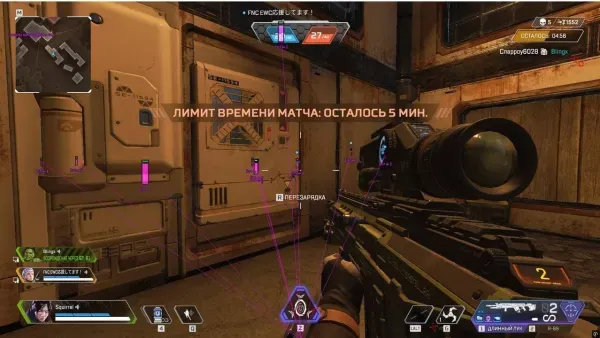
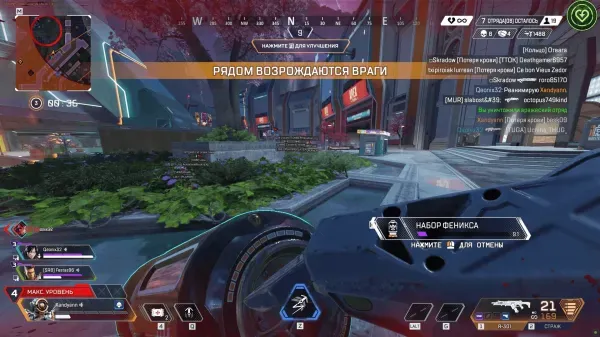
Mason Lite for Apex Legends runs automatically with no menu - Glow ESP and bunny-hop are bound to quick hotkeys, for a lightweight setup.
UPDATING
This product is currently being updated and is temporarily unavailable for purchase. Please check back shortly.
Instant Delivery to Email & Site
- Supported version of the game: Steam
- Supported game mode: Windowed / Full-screen in a window
- Supported Windows OS: 10&11x64, versions (2004 / 20H2 / 21H1 / 21H2 / 22H2 / 23H2), you can check your build by following the instructions HERE. Optional support for Windows 11 version 24H2, performance is not guaranteed
- Supported anti-cheats: Easy Anti-Cheat
- Supported processors: Intel and AMD
- Support for invisibility in videos or screenshots: Yes
- BIOS boot mode: UEFI, you can check which format is used in the system by following the instructions HERE
- Format of the system disk boot record: GPT, you can check which format is used in the system by following the instructions HERE
- Additional Windows System Requirements: Enable VT-x / VT-d (Virtualization) / Enable Hyper-V / Disable Secure Boot
THERE IS NO MENU, ALL FUNCTIONS ARE ENABLED AUTOMATICALLY, EXCEPT FOR THOSE THAT ARE PLACED ON SEPARATE HOTKEYS
- F1 / Enable Glow ESP (player illumination)
- F2 / RCS (Recoil Control) / TEMPORARILY DISABLED / TEMPORARILY OUT OF SERVICE
- F3 / Bhop (jump), works when you hold down the "Space"key
* The functionality of the program can be changed at any time at the discretion of the developer, but we always try to keep the information up to date
YOU MIGHT ALSO LIKE
REVIEWS
Reviews for Mason lite [Apex]
Reviews are moderated before publication
No reviews yet. Be the first!